
Conversion postbacks in AdOperator now do more than just measure campaign performance for ad optimization. We’re introducing Automatic Audiences, a new feature that collects users based on conversion events and lets you reach them again in future retargeting campaigns.
How Automatic Audiences Work.
Every campaign that sends conversion postbacks now automatically builds its own audience. This allows you to segment users based on the conversion event tracked in each campaign and re-engage each audience with offers that match their previous actions. For example, you may collect users who completed registration or who made their first deposit or purchase, and increase their retention rate and your ROAS with additional ad campaigns.
The feature is available by default and runs in the background inside your AdOperator account. There is no need to create these user groups manually or install a tracking pixel.
Automatic Audiences do not rely on third-party cookies. Audience matching is based on a probabilistic model and does not require advertisers to store users’ personal data, helping address GDPR and privacy requirements.
If you’ve been sending conversion postbacks to AdOperator, you may already have audiences ready for retargeting.
How to Launch a Retargeting Campaign and Increase Your Ad Performance.
Open the Audience tab in the Campaigns section to see all collected retargeting audiences available in your account.
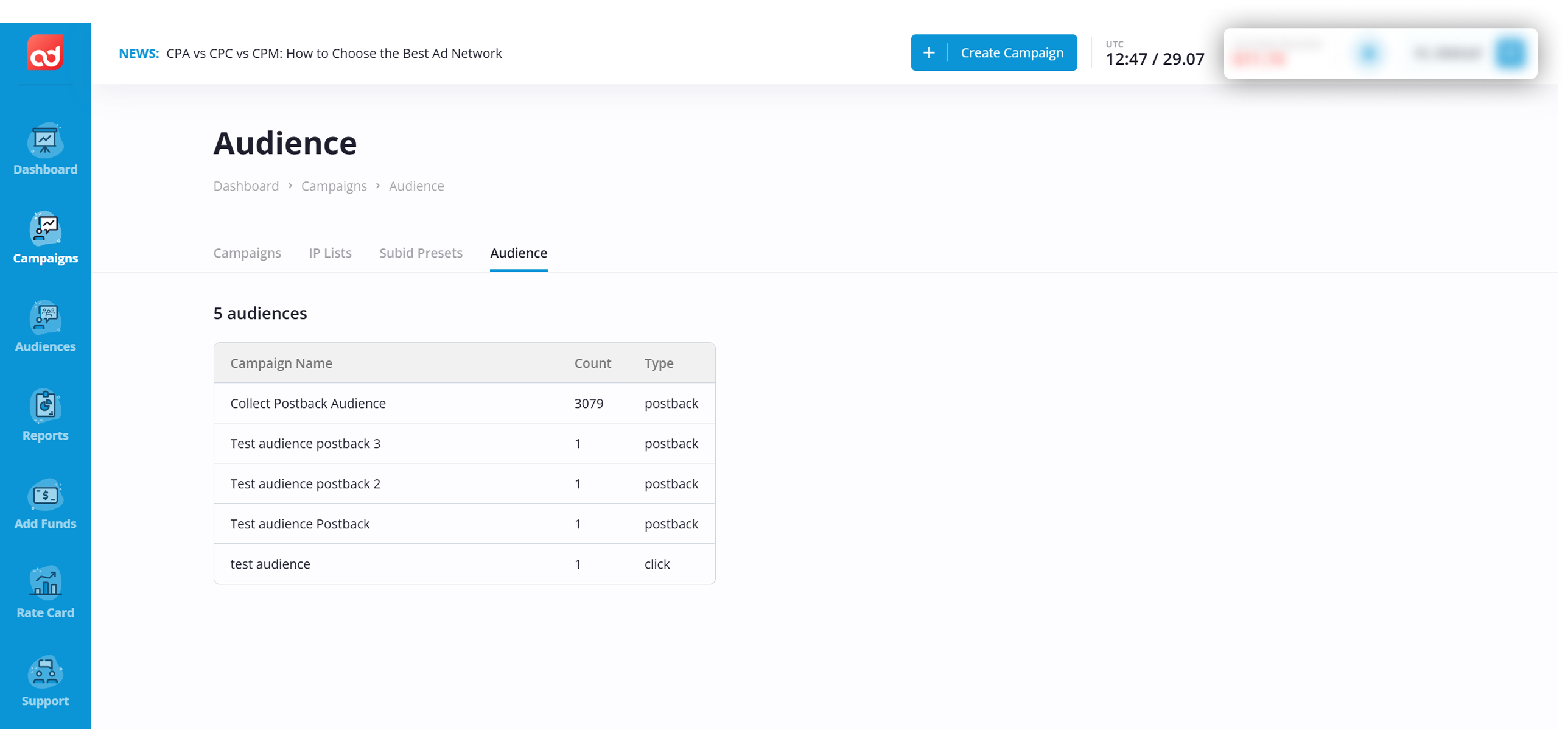
To launch a retargeting campaign, click the “Create Campaign” button, upload your creatives, and configure it as usual.
In the Audience Targeting section, choose the segment you want to target from the Postback/Click Audience field.
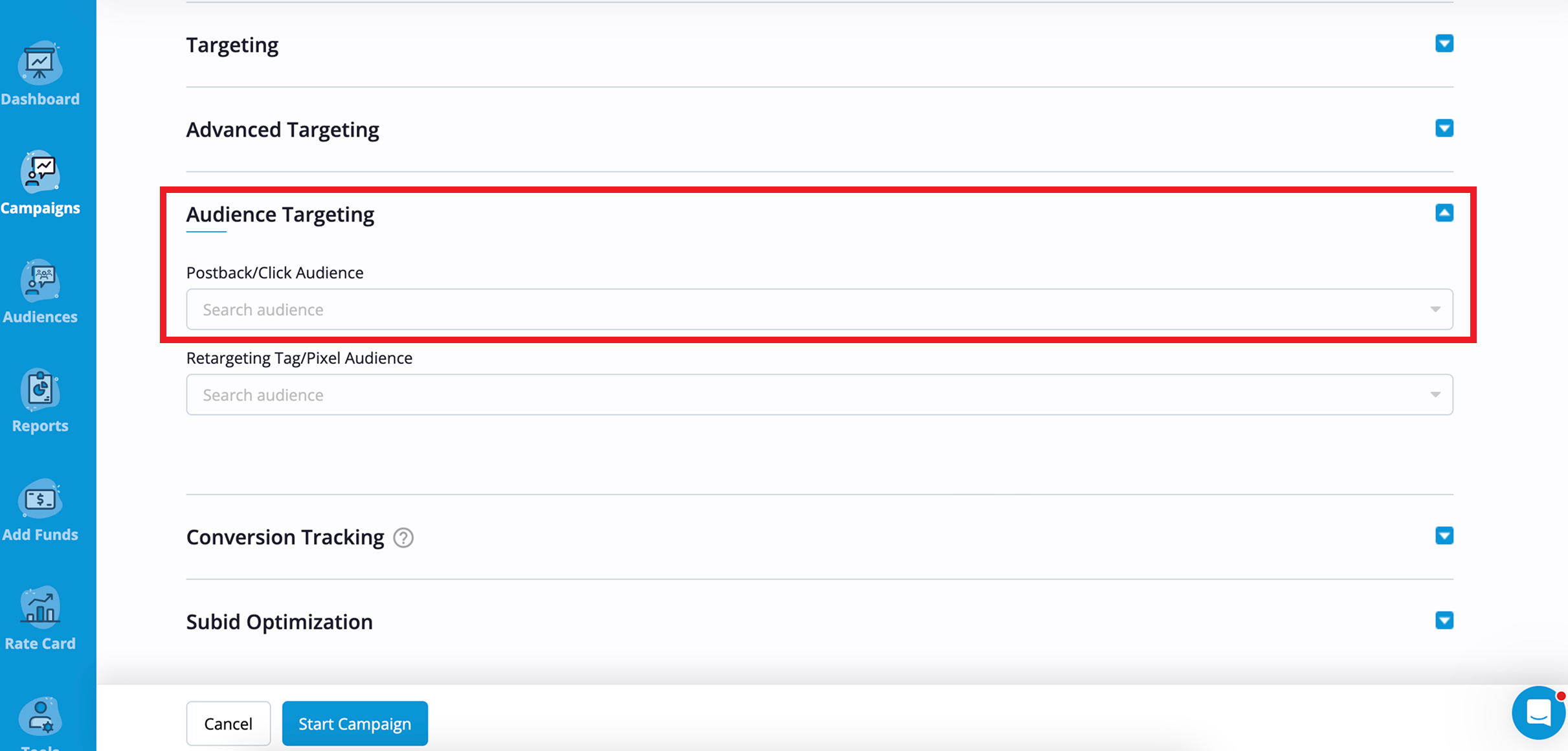
From that point, your advertising is ready to reach users from the selected group.
Quick Tip. How to Retarget Users at Different Conversion Stages
Each audience represents a different stage of the customer journey, so your campaigns should build on what users have already done. Tailoring your creatives to each segment helps deliver more relevant offers and increase retargeting campaign performance. For example:
Click or engagement goal. If people showed interest but didn’t complete the target action, remind them about your product, push to register or download your app, or invite them to continue where they left off.
Registration goal. Users who have completed a registration are often ready for the next step. Encourage them to make their first deposit or purchase with a welcome offer or limited-time bonus.
Purchase or deposit goal. Existing customers already trust your product. Increase repeat purchases with cross-sell recommendations, upsell offers, or a loyalty reward.
Reactivation goal. If you want to target inactive users, give them a reason to return with a special offer, new features, or a personalized reminder.
The closer your advertising campaign matches the user’s previous interaction, the more relevant your advertising becomes – and the easier it is to move them toward conversion.
INCREASE YOUR ROAS WITH AUTOMATIC AUDIENCES – TRY NOW
If you want to build audiences based on specific pages or actions on your website, you can use a tracking pixel. Learn how to set it up →