
In performance advertising, campaign results depend not only on how much traffic you buy. Bids, traffic sources, creatives, and other parameters can be adjusted based on actual results to improve ROI and use the budget more effectively. AdOperator provides campaign optimization tools and transparent analytics to support this process throughout the campaign lifecycle.
Campaign Settings and Targeting
Campaign settings determine how much control advertisers have over traffic. A broad setup may help maximize reach and collect enough stats to understand how the offer performs across different audience segments. More precise targeting can be useful when an offer has specific requirements, a limited budget, or previous stats have already indicated which users are more likely to convert. However, adding too many restrictions from the start can reduce available traffic volume and bring fewer conversions.
There is no single setup that works for every campaign. How broad or specific it should be depends on the offer itself and how much is already known about the audience.
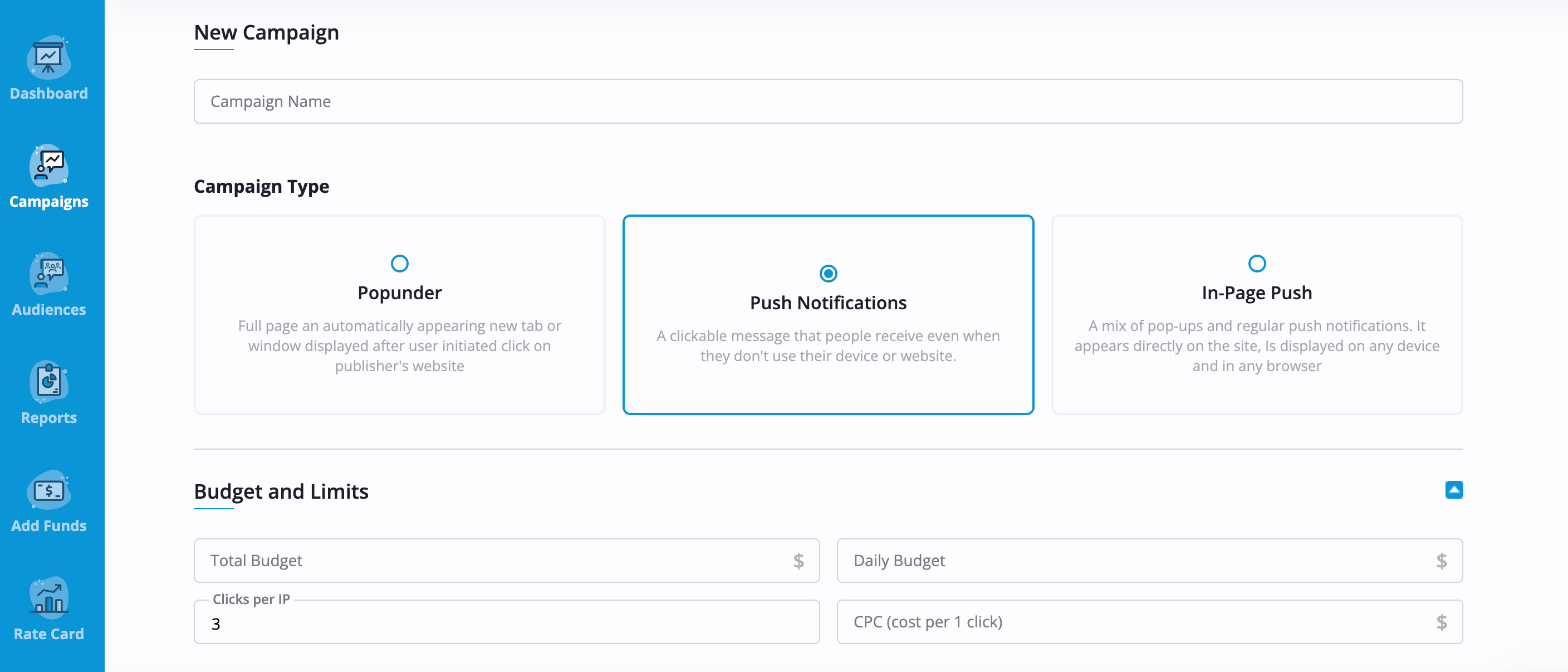
The AdOperator platform provides a range of settings to configure before launch and adjust later as the campaign develops. Once advertisers select the ad format and upload the creatives, they can move on to budget and targeting settings. The first category includes total and daily budgets, bids, and limits such as the number of clicks allowed per IP. The bidding model varies by the selected ad format: popunders use a cost per view (CPV), while push and in-page push campaigns use a cost per click (CPC) model.
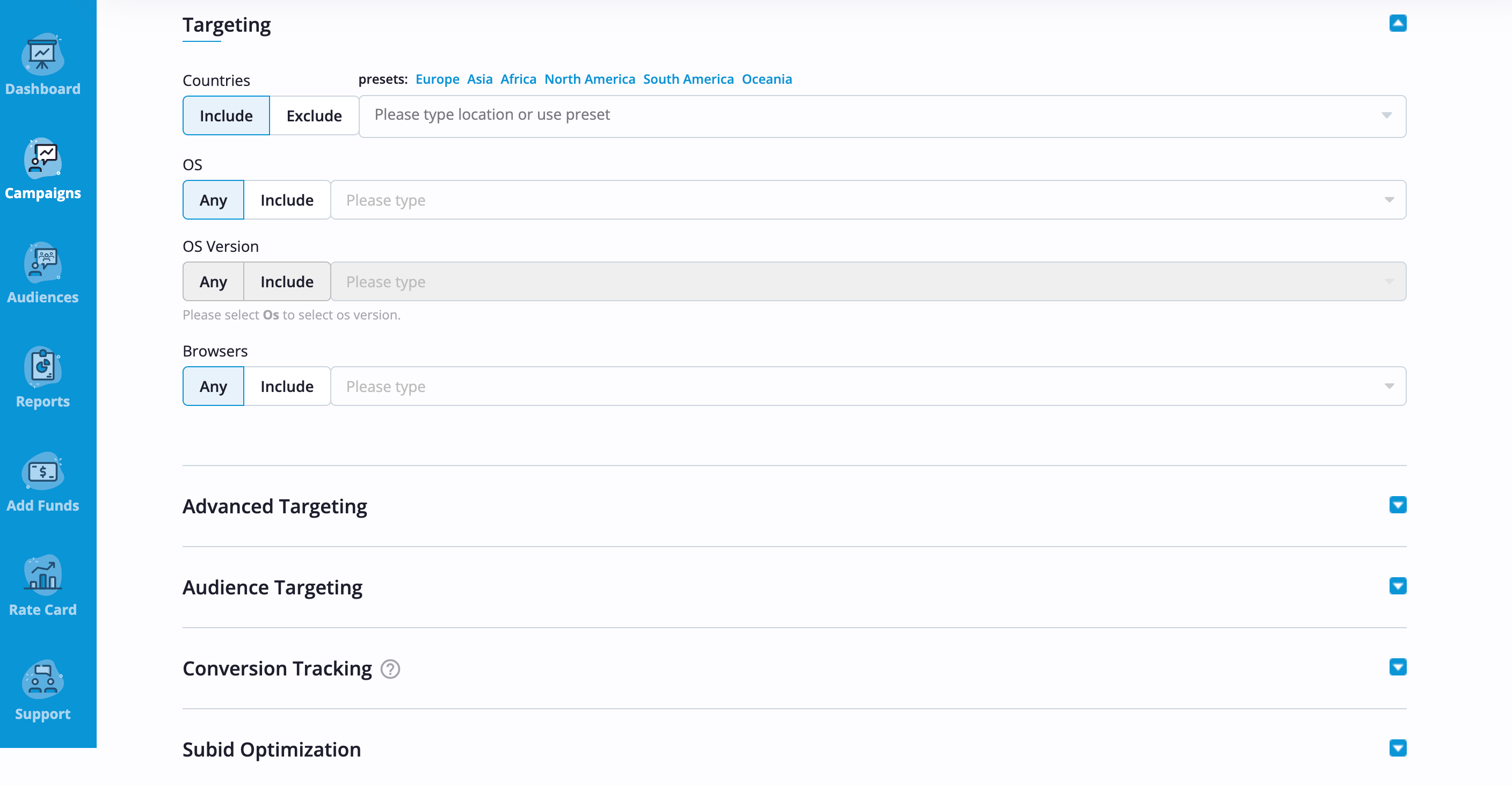
Targeting includes settings by country, operating system, and browser, plus advanced options such as connection type, browser language, and other parameters.
The full setup can be modified after launch as data accumulates or conditions change. Each update goes through manual moderation before the new settings go live.
How to Use Performance Data for Optimization
Overall results only show part of the picture. Two campaigns with similar spend or traffic volume can perform very differently depending on where the traffic comes from, when users interact with the ads, or which creatives are running. So aggregate figures alone may not be enough to understand which parts of the campaign are driving revenue.
AdOperator reports combine cost and conversion data in one place. Media buyers can track key metrics and analyze performance at different levels, from the campaign as a whole down to individual creatives and SubIDs. Reports can also be broken down by time, country, operating system, and browser – into more specific segments. This helps identify both stronger and weaker parts of a campaign and make more informed optimization decisions.
Conversion tracking adds another layer to this analysis. AdOperator supports S2S postback tracking, which passes completed conversions back to the platform. The network is integrated with popular third-party tracking platforms, including Voluum, Binom, Keitaro, RedTrack, Skro, Aftrad, etc. Advertisers can share performance data from their own tracking systems with the AdOperator team. Based on it, managers can analyze how certain sources perform and enable or disable some of them to improve the traffic mix.
How to Optimize an Active Ad Campaign
The right optimization approach depends on where the campaign is losing efficiency, and different performance issues may require different changes.
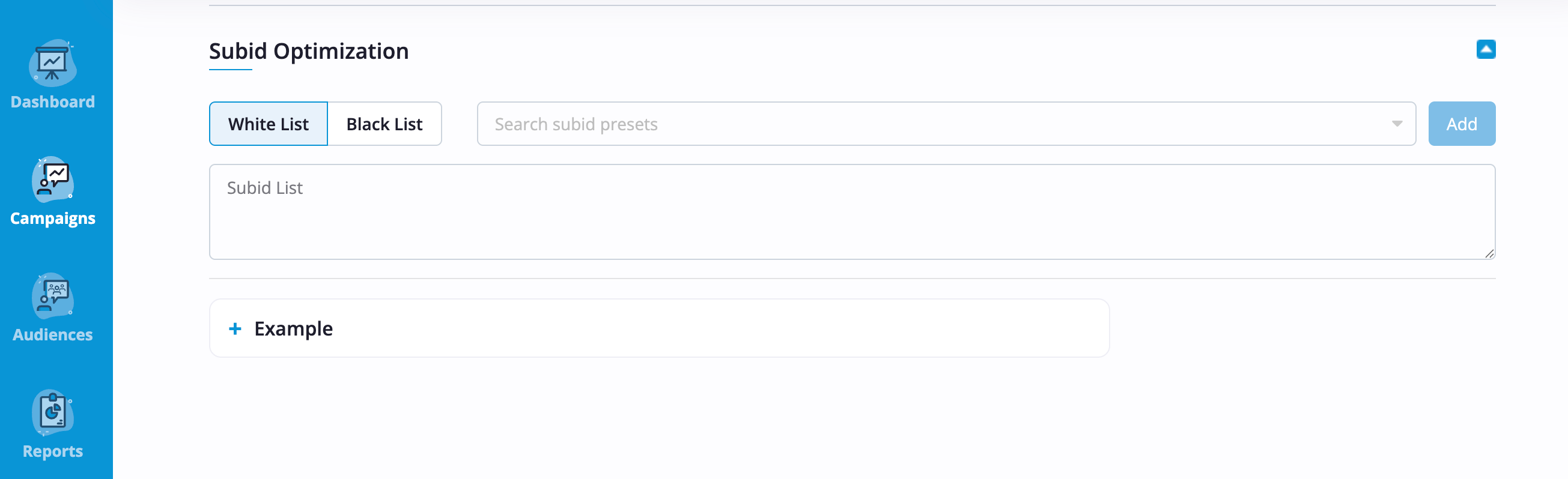
SubID optimization is one way to refine the traffic a campaign receives. In AdOperator, users can add underperforming SubIDs to a blacklist or upload a whitelist based on those that deliver the desired results. This reduces spend that doesn’t reach the campaign goals and directs more funds to better-performing segments, helping improve the overall profitability.
Once the traffic mix is working well, other parameters can be reviewed. For example, if an offer performs well but receives limited traffic, advertisers can increase the bid or daily budget. A competitive bid can provide access to more audience within the current setup, while a higher budget gives a successful campaign more capacity to scale. If additional volume is still needed, relevant GEOs or broader targeting can be added.
Performance can also vary noticeably throughout the day or week. If reports show a consistent difference, the display schedule can be adjusted to prioritize the periods that generate better results.
For push and in-page push campaigns, creative testing is a regular part of optimization. Even a strong creative can lose effectiveness over time as users see it repeatedly. Advertisers should therefore prepare several combinations for rotation and test different images, headlines, and messages throughout the campaign. For more practical recommendations, discover our guide on how to create ads that convert.
The more parameters you update at once, the harder it becomes to understand what actually affected the data. That’s why we recommend making changes gradually and evaluating their impact before moving on to the next step. Media buyers can also run several campaigns in parallel with different audiences or creatives to compare their performance and identify which setup works better.
How Audience Retargeting Can Improve Campaign Performance
Increasing traffic or changing settings is not always the answer. If a campaign is reaching enough users but conversions remain below expectations, it may be worth separating users who have already shown interest and approaching them differently. At this stage, advertisers can build an audience from previous interactions and reach these users again with a dedicated retargeting campaign.
In AdOperator, retargeting audiences can be collected with a tracking pixel or automatically when conversion data is passed via postback. Retargeting is available across all ad formats, so collected audiences can be used in popunder, push, or in-page push campaigns.
It also opens up different optimization strategies based on user behavior. Media buyers can separate audiences by the actions they have already completed and adapt the next step accordingly. For example, the approach for users who visited a landing page but left may differ from the one used for registered users who have not yet completed another target action. This gives advertisers more control over the user journey and helps tailor each campaign to the next relevant action rather than treating all previous visitors in the same way.
Learn More About Campaign Optimization

FAQ
How much data do I need before optimizing a campaign?
There is no universal number of impressions, clicks, or conversions required before making optimization decisions. The data should be sufficient to identify meaningful performance patterns and be evaluated in relation to the budget and expected results. Making decisions too early, based on only a few clicks or conversions, can lead to incorrect conclusions.
How often should I optimize an ad campaign?
Campaign optimization is an ongoing process. Check performance regularly and make changes when the data shows a clear reason to do so. After a significant modification, give the campaign time to collect new information before evaluating the impact and making the next adjustment.
Should I pause a campaign that is not converting?
Not immediately. A campaign that is not converting may still become profitable once you find the right combination of traffic sources, bids, targeting, and creatives. Review SubID performance, adjust bids, test new messages, and use blacklists or whitelists to refine the traffic. We also recommend discussing the results with your AdOperator manager, who can help identify possible changes based on your campaign setup.
Will an AdOperator manager help me optimize my campaigns?
Yes. Every AdOperator advertiser has a dedicated personal manager, regardless of ad spend. Managers have extensive experience with different GEOs and verticals and can advise on suitable bids and campaign settings. Share performance data from your tracking system with the manager to refine the traffic mix based on your stats.